Curbside Coder

"Tech blog for code newbies, wizards and ninjas!"

[Solved] I cannot drag/resize ReportViewer in my WinForm in VB.NET

I am adding Reporting to my VB.Net Project, but stumble upon an annoying problem. First I cannot add Report Viewer properly in my form. So I downloaded and installed Microsoft.RdlcDesigner.vsix.

Now I can add the ReportViewer on my components, but when I drag/double click it to add it to my form, it only goes below the form designer and NOT inside the form itself. It’s located below the form, where the controls without UI resides (like Timer, OpenDialog, ErrorProvider).

I searched for many forums, and on the Developers Community Forum of VB I saw this post.

I just want to share to you guys that this helped me.
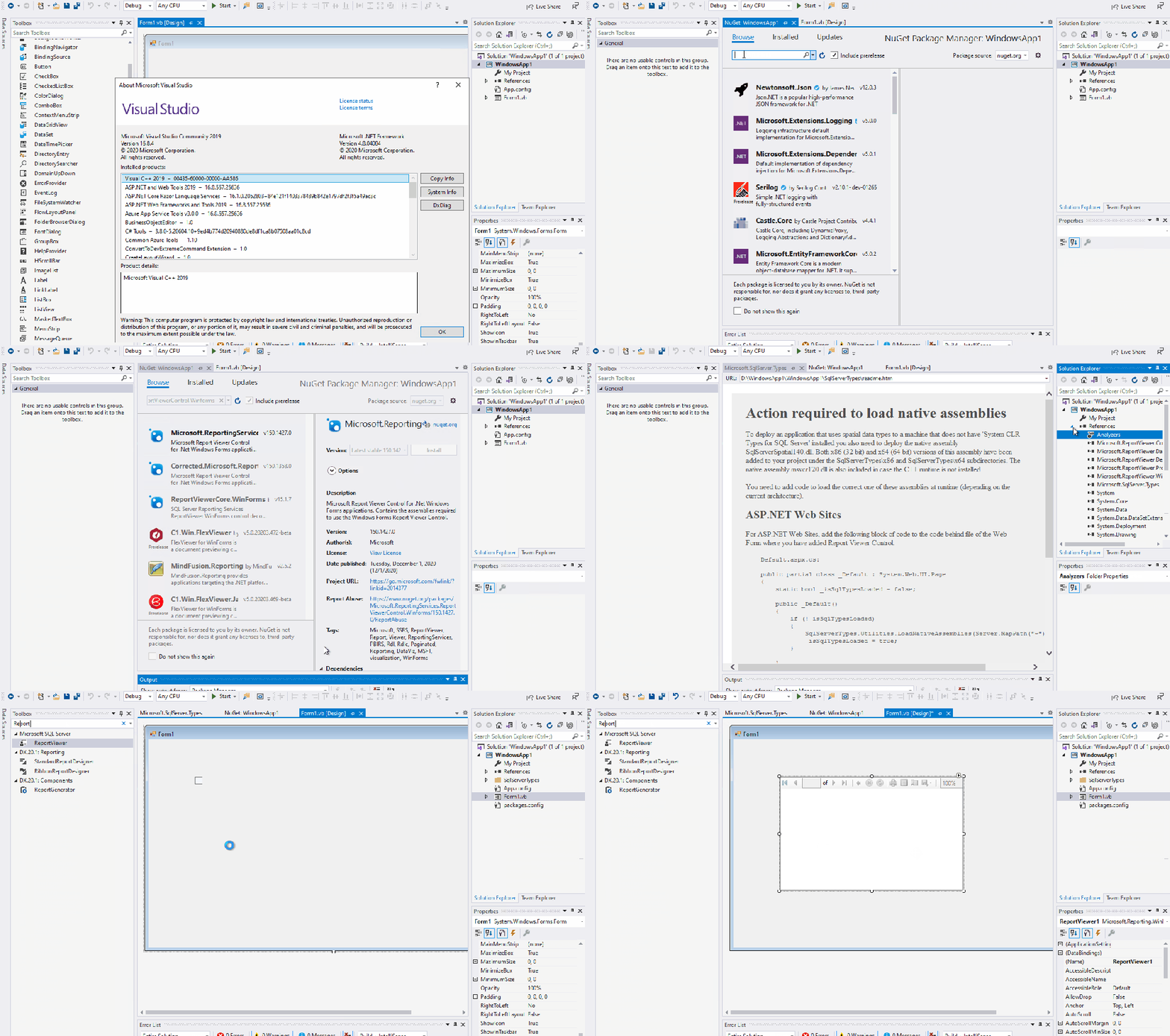
Source: https://developercommunity.visualstudio.com/t/visual-studio-2019-reportviewer-not-showing-up-on/1321786

I hope this post will help other folks out there! Happy coding!

2 responses to “[Solved] I cannot drag/resize ReportViewer in my WinForm in VB.NET”

  1. Roy Monroy Avatar
    Roy Monroy

    Christian. I’m interested to see if you can solve a problem for me. Email me at kingmyking1@gmail.com

    Like

    1. Christian Foster Avatar

      Hi Roy Monroy!
      Sure, I would love to help! Thanks for appreciating!

      Like

Leave a comment

Navigation

About

Hello world! I’m Christian Foster, your Curbside Coder! Welcome to my corner of the internet. Let’s make a dent in the universe!

Design a site like this with WordPress.com
Get started